
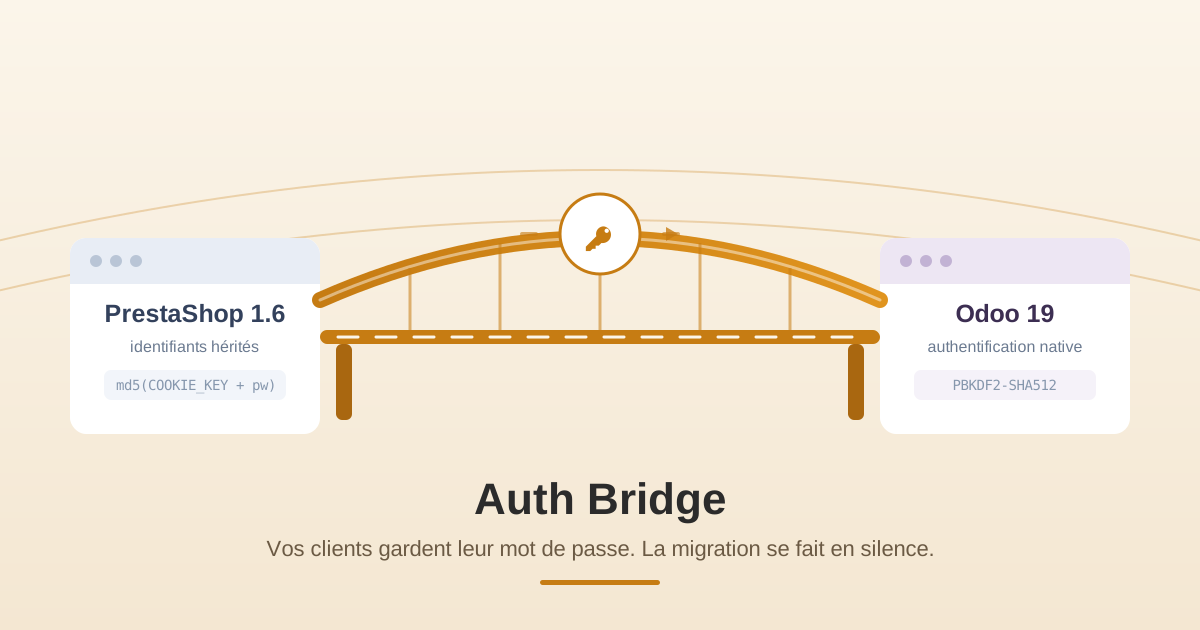
When a company migrates its store from PrestaShop to Odoo, the catalog, orders, and inventory take center stage. But a more discreet problem awaits behind the scenes: customer passwords. Auth Bridge is a custom Odoo module designed precisely for this — allowing migrated customers to continue logging in with their existing PrestaShop password, without anyone having to reset it just to log in.
This article explains what Auth Bridge is, the authentication problem it solves, how the solution works step by step, and why a lightweight and targeted bridge is the right tool. It is aimed at both technical readers and anyone overseeing a migration who wants to understand the logic without reading code.
1. Migrated passwords do not transfer as is
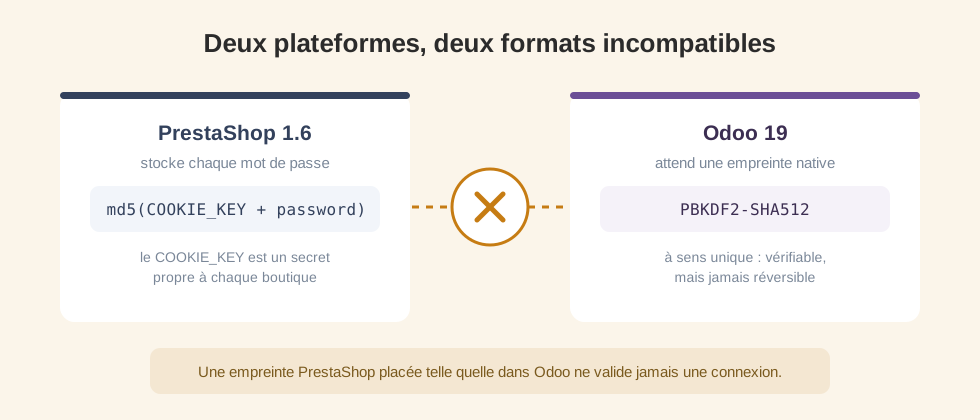
The problem arises as soon as customer accounts from PrestaShop 1.6 are imported into Odoo. Passwords are not stored in plain text in either system: they are one-way hashes (hash), which can be verified but never reversed. The obstacle comes from the fact that the two platforms do not hash them in the same way:
- PrestaShop 1.6 stores each password in the form md5(COOKIE_KEY + password), where COOKIE_KEY is a secret specific to the store.
- Odoo expects a native PBKDF2-SHA512 hash.
These formats are not interchangeable. A PrestaShop fingerprint placed as is in Odoo simply will not validate a connection. Without a bridge, each migrated customer is therefore forced to reset their password before they can log in — a well-known source of support tickets and drop-offs in the days following a migration. Auth Bridge exists to completely eliminate this friction.
2. What is Auth Bridge?
Auth Bridge is a lightweight Odoo module that acts as a compatibility layer between legacy PrestaShop credentials and Odoo's native authentication. Its goal is precise and concrete: to allow a migrated customer to log in to Odoo with the exact password they used on PrestaShop, and then to quietly finalize their migration in the background.
Important point: Auth Bridge does not import customers, orders, or products. It is designed to work alongside the tool you are already using to import customer records into Odoo — a migration script, a connector like VentorTech's, etc. It only needs, for each customer, their identifier (their email) and their PrestaShop password fingerprint. This focus is what makes it secure and easy to understand: it does one thing, and only until each account is migrated.
3. Key features
Interception of the 1st connection
Only intervenes at the first connection of a migrated customer — then remains dormant afterwards.
Verification by COOKIE_KEY
Compares the entered password to the stored PrestaShop fingerprint, via the store's COOKIE_KEY.
Silent re-hashing
In case of a match, re-hash in native PBKDF2-SHA512 format and clear inherited fields.
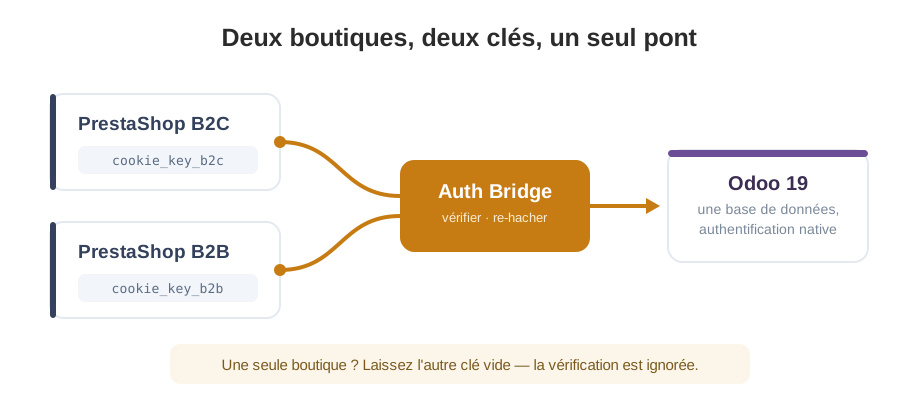
Two supported shops
Manages two independent PrestaShop instances — e.g. B2C and B2B — each with its COOKIE_KEY.
Guided fingerprint import
A CSV import tool (email + passwd) that indicates written, missing, invalid, or already native lines.
Integrates with your migration
It does not import the data itself — it complements your script or connector, with email and fingerprint.
4. Verify, re-hash, then clear
Auth Bridge follows a proven scheme often called verify then re-hash (lazy migration). Instead of transforming all passwords in advance, it upgrades each account upon its owner's first login.
Import fingerprints
Customer records already in Odoo, an admin imports fingerprints (email + passwd) into restricted fields.
First login
The migrated customer logs in with the PrestaShop password they already know.
Verify
The bridge compares it to the stored fingerprint via the COOKIE_KEY, with a constant-time check.
Re-hash
In case of a match, the password is re-saved in PBKDF2-SHA512 and the inherited fields are cleared.
Asleep
All the following connections are part of standard Odoo — the module has nothing more to do. Migration complete.
5. Treated as an engineering issue
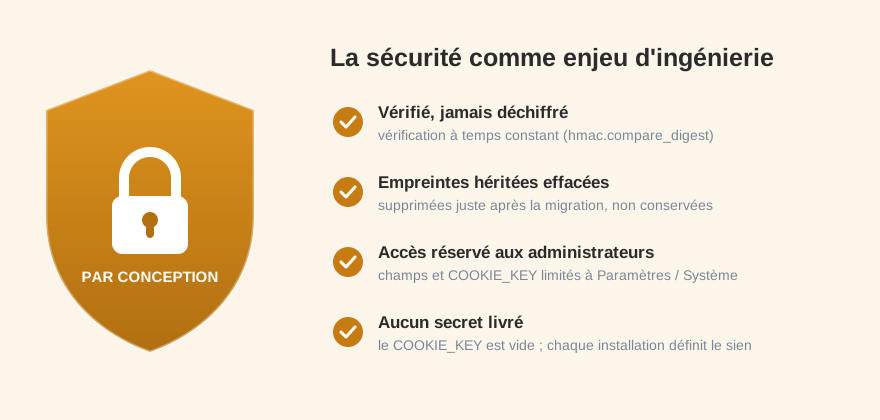
- Passwords are verified, never decrypted, via a constant time check (hmac.compare_digest) to prevent timing attacks.
- Inherited fingerprint fields are immediately erased after a successful migration — never retained.
- Fingerprint fields and the COOKIE_KEY are reserved for administrators Settings / System.
- The COOKIE_KEY is delivered empty by design; each installation defines its secret, never versioned or shared.
6. What the approach brings
No resets
Fewer support tickets and less abandonment after going live.
Invisible to customers
The migration completes at the first login — nothing to do for anyone.
Clean switch
Inherited fingerprints are erased once migrated; the module goes to sleep.
Integrates with your stack
An Odoo 19 module based on auth_signup and passlib.
7. Why a targeted bridge was the right choice
A generic tool cannot reconcile two incompatible hashing schemes for this specific PrestaShop-to-Odoo path. The need was clear: to verify an md5(COOKIE_KEY + password) hash within the Odoo login flow itself and upgrade it on the spot, for one or two stores, without disrupting the rest of the migration. A lightweight, one-time-use module — which does just that, and only until each account is migrated — is better suited than a heavy, all-in-one solution.
Conclusion
The initial challenge was easy to underestimate: migrating client logins from PrestaShop 1.6 to Odoo while both platforms hash passwords incompatibly. Auth Bridge addresses this with a "check then re-hash" approach — intercepting the first login, comparing the password with the PrestaShop hash using the COOKIE_KEY, then re-hashing in Odoo's native format before erasing itself.
This is a concrete example of how a well-framed authentication bridge can solve a very specific technical need without disrupting the people who depend on it.